













Every business that rolls out Microsoft 365 Copilot expects the same outcome: faster reporting, quicker emails, smarter forecasts, and less time spent on repetitive tasks. Yet many organizations discover that simply assigning licenses does not guarantee better productivity. The technology is powerful, but without the right guidance, employees often use only a fraction of its capabilities—or stop using it altogether after the initial excitement fades.
This is why Copilot training services have become an essential part of successful AI adoption strategies across manufacturing, logistics, distribution, and industrial organizations throughout the United States. A license provides access, but training provides the knowledge and confidence employees need to make AI part of their everyday work. Businesses that invest in structured enablement consistently achieve higher adoption rates, stronger productivity gains, and a greater return on their Microsoft investment.
Effective Microsoft 365 Copilot consulting goes far beyond explaining product features. It helps organizations identify high-value use cases, deliver role-based training, establish best practices for prompt writing, and create a roadmap for long-term adoption. Combined with AI productivity consulting, businesses can streamline workflows, reduce manual effort, and enable employees to focus on higher-value work instead of repetitive administrative tasks.
Atvatics partners with manufacturing and industrial organizations that rely on Microsoft Dynamics to manage critical business operations. Our Microsoft workplace AI services are designed around real business processes, ensuring employees learn how to use Copilot within the workflows they already perform every day. Rather than generic demonstrations, we deliver practical, hands-on guidance that transforms Copilot into an AI employee productivity platform capable of improving collaboration, accelerating decision-making, and increasing operational efficiency.
In this guide, we’ll explore what effective Copilot training actually looks like, why industrial organizations require a different approach than traditional office environments, and how the right implementation partner can help your teams confidently adopt AI while maximizing the long-term value of Microsoft 365 Copilot.
Why Copilot Licenses Alone Never Deliver Results
Handing an employee a Copilot license without training is a bit like handing someone a new machine on the shop floor with no operator manual and no walkthrough. They might figure out the basics eventually. Most will avoid it entirely and stick with what they already know.
The success of Microsoft 365 Copilot depends on how confidently employees can incorporate it into their daily work. Without clear guidance, many users struggle to understand where Copilot adds value, how to write effective prompts, or which business processes can be enhanced with AI. As a result, organizations often see low engagement despite investing in enterprise AI capabilities.
Common outcomes when companies skip structured Copilot training services include:
- Employees using Copilot for only the most basic tasks, ignoring its deeper capabilities
- Confusion about which tasks Copilot can safely handle inside Dynamics
- Frustration when early prompts return unhelpful results, leading to abandonment
- Wasted budget on licenses that sit inactive month after month
- Managers assuming adoption is happening simply because licenses were purchased
Effective training goes beyond teaching product features. Employees need practical, role-specific guidance that demonstrates how Copilot can simplify the work they already perform every day. Sales teams, customer service representatives, finance professionals, and operations managers all interact with AI differently, making personalized enablement essential for long-term success.
Organizations should also reinforce learning through ongoing coaching, real-world use cases, and regular feedback sessions. As employees become more comfortable using Copilot, they naturally discover new opportunities to automate repetitive tasks, improve collaboration, and make faster, more informed decisions. This continuous learning approach builds confidence while increasing overall productivity across the business.
Real Microsoft 365 Copilot consulting starts with a hard truth. Software rollouts fail far more often from a lack of user enablement than from technical limitations. Organizations that invest in structured training, continuous support, and adoption planning consistently achieve higher engagement, stronger productivity gains, and a better return on their AI investment. Getting this right from day one saves months of wasted licensing costs and helps transform Copilot from a purchased tool into an essential part of everyday business operations.

What Great Copilot Training Actually Looks Like
Good training is not a single hour-long webinar covering every feature at once. Employees forget most of that within a week. Effective Copilot training services are built around real roles, real tasks, and repeated practice over time. The goal is to help employees confidently apply Microsoft Copilot to their daily work, improving efficiency and accelerating business outcomes.
A strong training program typically includes:
- Role-specific sessions. A production planner needs different Copilot skills than an accounts payable clerk or a customer service representative.
- Hands-on practice. Employees work with real, familiar data inside Dynamics rather than sample files that have little relevance to their day-to-day responsibilities.
- Short, focused modules. Fifteen-minute learning sessions are far more effective than a single three-hour training marathon.
- Prompt coaching. Teaching employees how to ask Copilot the right questions is one of the biggest factors in improving AI adoption and productivity.
- Follow-up refreshers. Microsoft regularly introduces new Copilot capabilities, making continuous learning essential for long-term success.
High-quality Microsoft 365 Copilot consulting extends beyond product demonstrations. It combines structured enablement, practical workshops, and ongoing coaching to help employees build confidence while integrating AI into their everyday workflows. This approach enables organizations to increase adoption, reduce resistance to change, and realize measurable productivity improvements.
As part of a broader AI productivity consulting strategy, organizations should continuously evaluate how employees interact with Copilot, identify opportunities for process improvement, and refine training based on real-world feedback. This ensures AI adoption evolves alongside changing business needs rather than remaining a one-time initiative.
Atvatics delivers Microsoft workplace AI services that align training with business objectives, helping teams maximize the value of Microsoft Copilot across departments. By combining practical learning with ongoing optimization, organizations can transform Copilot into an AI employee productivity platform that empowers employees, streamlines operations, and drives long-term business growth.
Why Industrial Teams Across the US Need a Different Training Approach
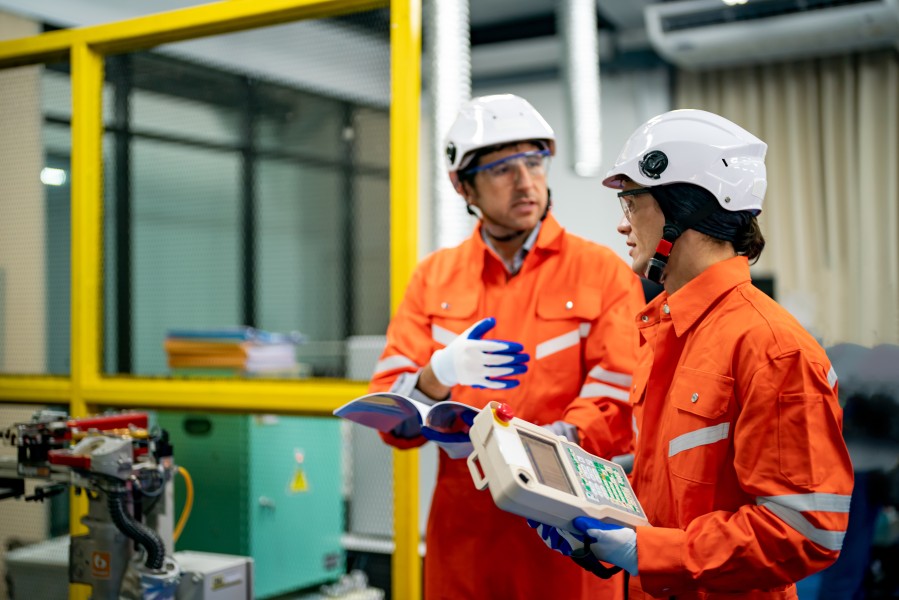
Office workers can often attend an hour-long virtual training session with minimal disruption to their schedules. A machine operator on a production line, a warehouse supervisor managing multiple shifts, or a field technician traveling between customer sites rarely has that flexibility. Training must fit naturally into existing workflows, or adoption will slow before it even begins.
Successful Copilot training services recognize that industrial environments require flexible learning experiences that accommodate shift patterns, operational priorities, and frontline responsibilities. Rather than relying on traditional classroom sessions, organizations need practical, role-based training that employees can access when and where it is most relevant.
Businesses across the country are actively looking for training built for this reality, including:
- Copilot training services for manufacturers throughout Ohio and the greater Midwest industrial belt
- Microsoft 365 Copilot consulting for automotive suppliers across Michigan and Indiana
- AI productivity consulting for distribution and logistics operations in Texas
- Microsoft workplace AI services for food and beverage producers across Georgia and the Southeast
- AI employee productivity platform rollouts for chemical and process manufacturers in North Carolina
- Copilot training services for pharmaceutical and life sciences companies across Pennsylvania
Beyond delivering training, organizations should focus on creating an ongoing learning culture. Short video lessons, mobile-friendly learning resources, shift-based coaching, and department champions help employees build confidence without interrupting production schedules. Regular refresher sessions and real-world examples reinforce learning while encouraging teams to discover new ways to improve efficiency with Microsoft Copilot.
Industrial businesses also benefit from Microsoft 365 Copilot consulting that aligns AI adoption with operational goals. By combining AI productivity consulting with role-specific enablement, organizations can reduce repetitive work, improve collaboration, and increase employee engagement across manufacturing, warehouse, maintenance, and field service teams. This practical approach transforms Microsoft workplace AI services into an AI employee productivity platform that supports continuous improvement rather than a one-time software deployment.
Shift-based scheduling changes everything about how training gets delivered. Short recorded modules, on-shift coaching, and floor-accessible reference guides matter far more in these environments than a single scheduled classroom session. This is where generic AI productivity consulting often falls short, while industry-focused Copilot training services deliver the flexibility, relevance, and ongoing support needed for long-term adoption and measurable business results.
Five Signs Your Copilot Training Program Needs Rework
Many organizations don’t realize their training strategy has fallen short until adoption reports reveal low engagement months after deployment. Purchasing licenses and conducting a one-time training session is rarely enough to drive lasting success. Effective Copilot training services require continuous learning, practical guidance, and ongoing reinforcement to help employees confidently integrate AI into their daily work.
Watch for these warning signs early:
- Employees can list Copilot features but cannot explain how they use them in their day-to-day responsibilities.
- The same handful of power users generate most of the activity while the majority of employees rarely engage with the platform.
- New hires receive little or no Copilot onboarding, creating inconsistent knowledge across teams.
- Support requests continue to focus on basic prompt writing and common usage questions.
- Managers and supervisors quietly return to manual reports, spreadsheets, and familiar processes instead of using AI-assisted workflows.
Other indicators include inconsistent adoption across departments, employees lacking confidence when using Copilot for business-critical tasks, and limited collaboration around AI best practices. These issues often signal that the organization needs more than another training session—it needs a structured enablement strategy supported by ongoing coaching and measurable adoption goals.
This is where Microsoft 365 Copilot consulting provides lasting value. Rather than simply delivering additional training, experienced consultants evaluate user behavior, identify adoption barriers, and develop targeted learning programs that address the specific needs of each role and department. Combined with AI productivity consulting, organizations can improve employee confidence, streamline business processes, and unlock greater value from their Microsoft investment.
As part of comprehensive Microsoft workplace AI services, organizations should regularly review adoption metrics, gather employee feedback, and refine training content to reflect evolving business requirements. Treating Copilot as an AI employee productivity platform rather than just another software application helps employees continuously improve how they work while ensuring AI becomes an integral part of everyday operations.
Seeing two or more of these signs usually indicates that it is time to rethink your enablement strategy. Investing in structured Copilot training services and expert Microsoft 365 Copilot consulting can significantly improve user adoption, increase productivity, and maximize the long-term return on your AI investment.
Building a Training Framework That Actually Sticks
Atvatics structures its Copilot training services around four connected phases designed to build lasting habits rather than short term excitement.
Assess
Review current workflows inside Dynamics and identify where Copilot removes the most friction for each role. This avoids the common mistake of training everyone the exact same way.
Design
Build role based training paths with real examples pulled from actual daily tasks, not generic office scenarios that mean nothing to a plant employee.
Deliver
Run short, focused sessions supported by hands on practice, reference guides, and accessible recordings for shift workers who cannot attend live sessions.
Reinforce
Follow up at 30, 60, and 90 days with refresher content, usage reviews, and coaching for teams that have fallen back into old habits.
Skipping the reinforce phase is the single biggest reason training programs fail to produce lasting results. Companies that invest in ongoing reinforcement through proper AI productivity consulting see dramatically higher long term usage.
Training by Role: What Different Teams Actually Need
Not every employee needs the same Copilot skills. A one size fits all training session almost guarantees low engagement from at least half the room.
- Sales teams need Copilot skills for pipeline summaries, follow up emails, and quick account research inside Dynamics CRM
- Finance teams need training on report generation, variance analysis, and faster month end close tasks
- Customer service teams need Copilot skills for case summarization and faster response drafting
- Plant supervisors need quick, practical prompts for production reporting and shift handoff notes
- HR and admin teams need training on document drafting, meeting summaries, and policy lookups
Building this level of role specific detail into a training program is the difference between generic Microsoft workplace AI services and a program employees actually remember using next week.
The Role of Microsoft Workplace AI Services in Long Term Success
Training is not a one time event, and neither is adoption. Microsoft workplace AI services should function as an ongoing relationship that evolves as Copilot itself evolves, with new features rolling out on a regular basis.
A mature workplace AI services approach includes:
- Scheduled refresher sessions tied to major Copilot feature updates
- Usage dashboards reviewed regularly with department leaders
- A feedback channel where employees can flag confusing or unhelpful Copilot behavior
- Recognition for employees who find smart new uses of the tool and share them with peers
Companies that treat Microsoft workplace AI services as an ongoing program rather than a single project consistently see stronger usage rates a year after launch compared to those that stop investing after go live week.

Turning Copilot Into a True AI Employee Productivity Platform
The end goal of good training is not simply teaching people to click a button. It is turning Copilot into a genuine AI employee productivity platform woven into daily work, the same way email or spreadsheets already are.
Signs that this shift has actually happened include:
- Employees reaching for Copilot before starting a report, rather than after getting stuck
- Managers referencing Copilot generated summaries in daily standups
- New hires learning Copilot as part of standard onboarding, not as an afterthought
- Teams sharing their own discovered shortcuts with each other unprompted
Reaching this point requires more than a single Copilot training services engagement. It requires a genuine AI employee productivity platform mindset baked into how the company trains, onboards, and supports employees going forward.
Where Microsoft Dynamics Fits Into Copilot Training
Copilot performs best when it works inside clean, well organized data, and for most industrial businesses that data lives inside Microsoft Dynamics 365. Training employees on Copilot without also considering their underlying Dynamics environment leaves real value on the table.
As part of the broader Atvatics software suite, Microsoft Dynamics gives Copilot the structured data it needs to generate genuinely useful summaries, forecasts, and recommendations. Training becomes far more effective when employees practice inside the same Dynamics screens they already use every day, rather than a disconnected sandbox environment.
Benefits of combining Copilot training services with a properly configured Dynamics environment include:
- Training exercises that mirror real daily tasks instead of generic examples
- Faster employee confidence because the interface already feels familiar
- Fewer support tickets caused by confusion between systems
- One accountable partner managing both the Dynamics platform and the AI layer built on top of it
Choosing a Training Partner Who Understands Both Copilot and Dynamics
Plenty of vendors offer generic Copilot training decks pulled from a template. Fewer understand how Copilot actually behaves inside a live Dynamics environment handling real manufacturing, sales, and service data. When evaluating Microsoft 365 Copilot consulting, ask pointed questions before signing anything.
Worth asking any potential partner:
- Have they delivered Copilot training services inside manufacturing or industrial environments specifically
- Do they build role based training paths, or a single generic session for everyone
- Can they show measurable adoption improvements from previous clients
- Do they understand shift based scheduling and floor accessible training formats
- Will the same team supporting your Dynamics environment also handle Copilot training
A single partner managing both the software and the training side removes the confusion that happens when two separate vendors handle ERP and AI training independently.

How Atvatics Supports Copilot Training Across US Industrial Regions
Atvatics combines certified Microsoft Dynamics expertise with structured, role based Copilot training, giving industrial companies one accountable team for the entire employee journey.
Atvatics currently supports:
- Copilot training services for manufacturers throughout Georgia and the greater Atlanta industrial corridor
- Microsoft 365 Copilot consulting for multi site operations across the Midwest manufacturing belt
- AI productivity consulting for logistics and distribution companies across Texas and the Gulf Coast
- Microsoft workplace AI services for automotive and industrial suppliers in Michigan and Ohio
- AI employee productivity platform rollouts for food, beverage, and pharmaceutical producers across the Southeast
Every engagement begins with a clear look at how your teams currently work, followed by a training plan built around their real daily tasks rather than a generic template.
Frequently Asked Questions
How long does a full Copilot training program typically take?
Most structured programs run 60 to 90 days from initial assessment through reinforced follow up sessions, though timelines vary based on team size and number of locations.
Do employees need Microsoft Dynamics experience before Copilot training?
No prior experience is required, though employees already comfortable inside Dynamics tend to pick up Copilot skills noticeably faster.
How is industrial training different from office based Copilot training?
Shift schedules, limited screen time, and floor based work all require shorter, more flexible training formats compared to a typical office classroom session.
Ready to Turn Copilot Licenses Into Real Productivity
Buying Copilot licenses is simple. Teaching your teams to actually use them well every single day takes structured, role based training, not a single onboarding email. Atvatics combines certified Microsoft Dynamics expertise with dedicated Copilot training services built specifically for industrial and manufacturing businesses across the United States.
Talk to the Atvatics team today and build a Copilot training plan your employees will actually remember and use.